SMG
Cheat with built-in spoofer and ban protection. AIM, ESP, radar, Streamproof and multi-language interface.
SMG War Thunder cheat ships with a built-in spoofer that you pick at launch and a Cleaner system for wiping traces. On top of that you get an aimbot with visibility check and automatic target switching, and ESP tuned separately for tanks, aircraft, artillery and ships. There is a radar with missile and bomb markers and Streamproof for OBS and Discord. The menu switches between English and Russian, and plans start at 400 ₽ per day.
You choose SMG when ban protection comes first. The spoofer and Cleaner set it apart from MASON EAC, which names an EAC and BattlEye bypass but has no built-in spoofer. In terms of features this is a full AIM plus ESP build, so among War Thunder cheats it belongs next to MASON EAC and WarChill rather than the ESP-only options.
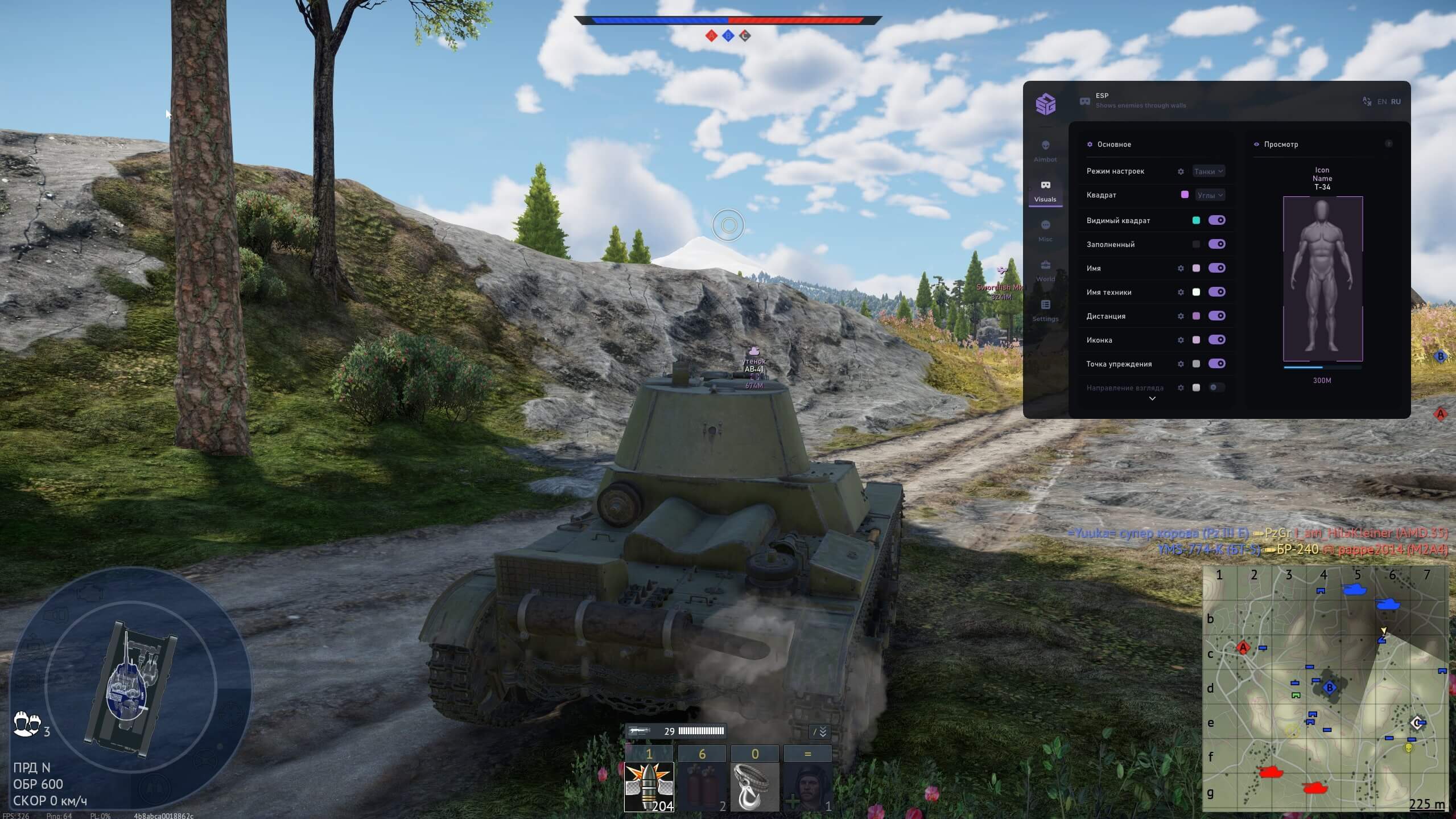
Automatic aiming system
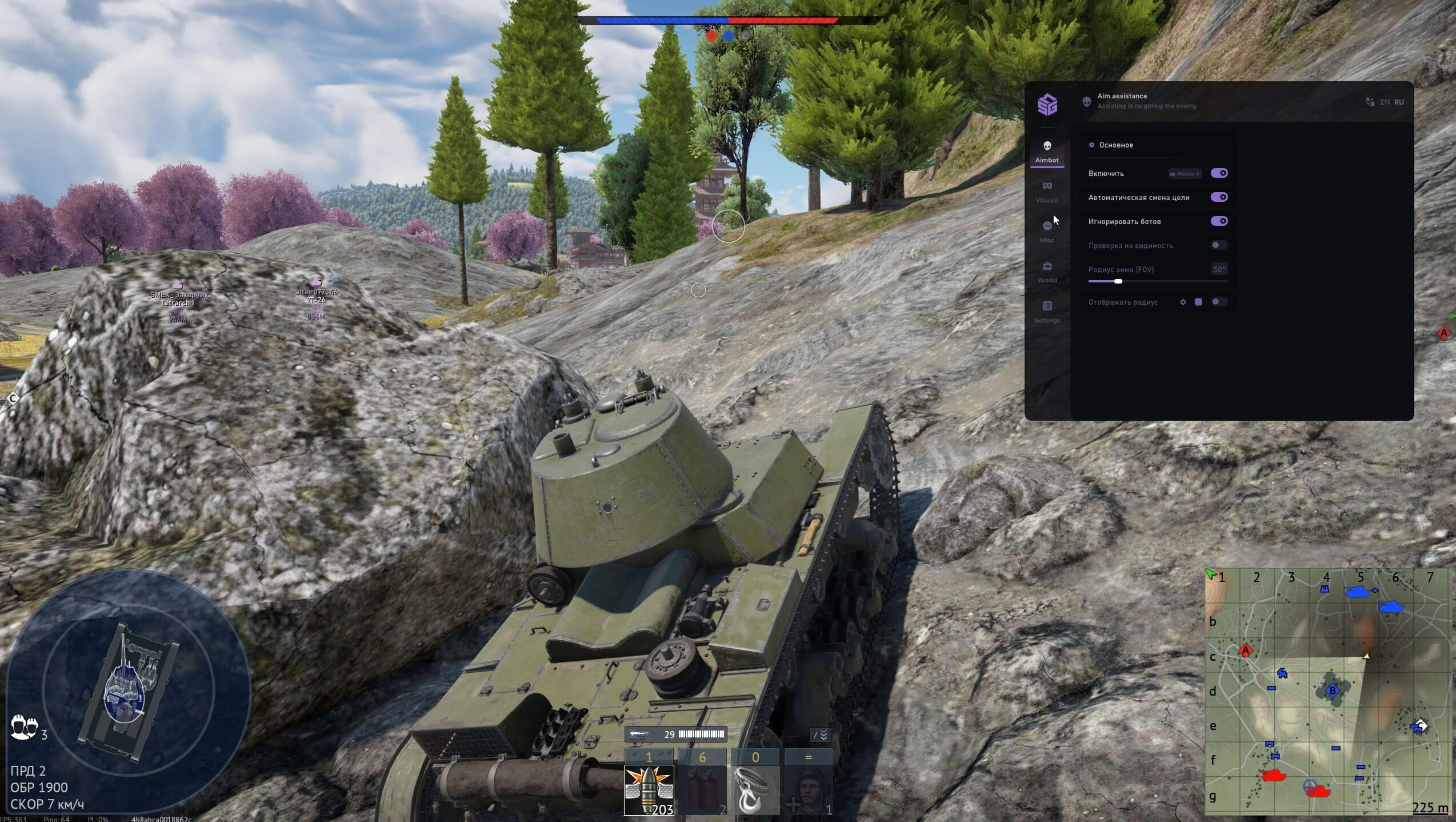
Activate aimbot
Automatic switch to next target
Exclude bots from target list
Aim only at visible targets
Configure auto-aim zone
Visual display of aim zone
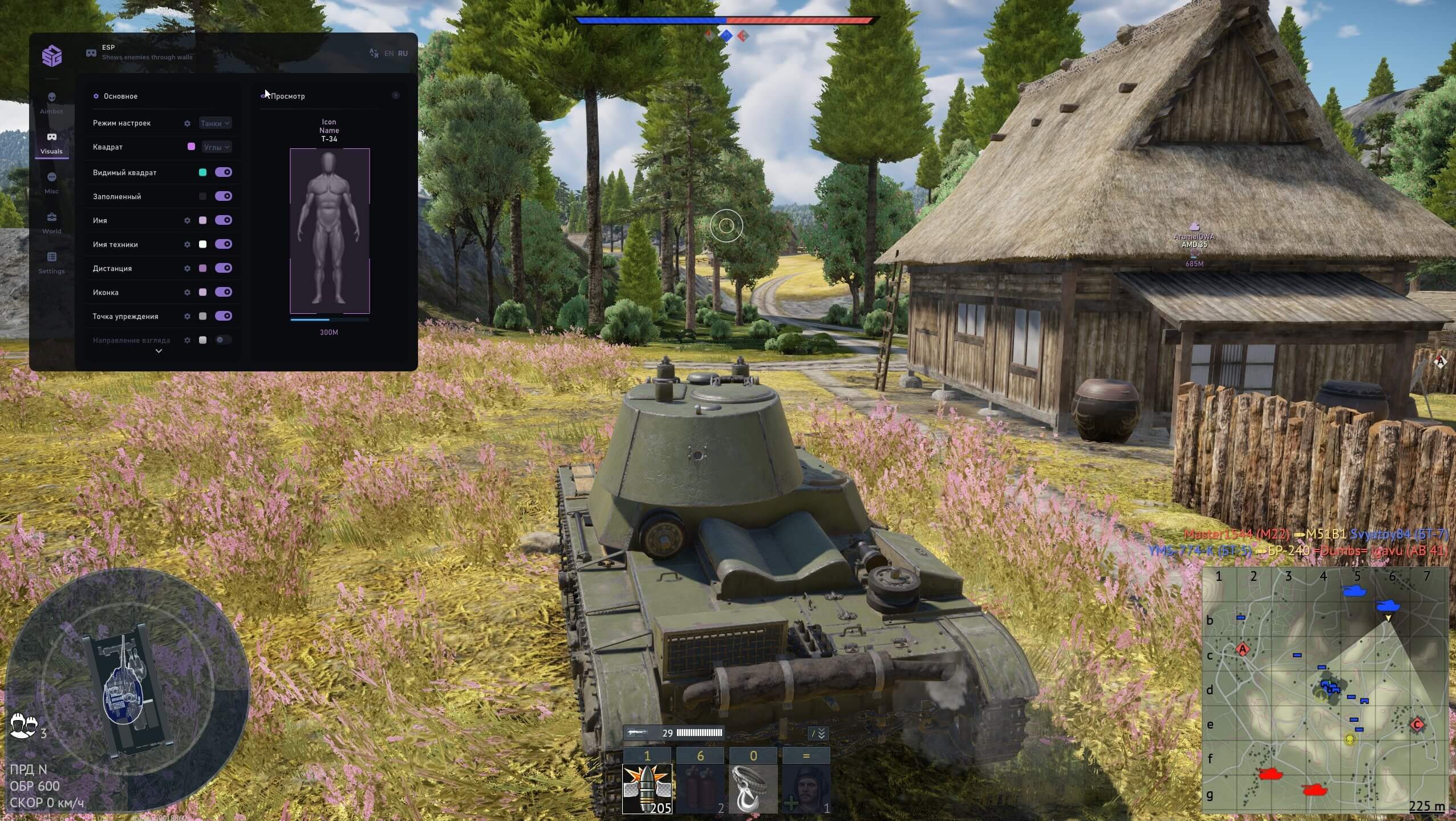
Object visualization system
Choose vehicle type: Tanks / Aircraft / Artillery / Ships
Off / Normal / Corners
Box around visible targets
Filled box around targets
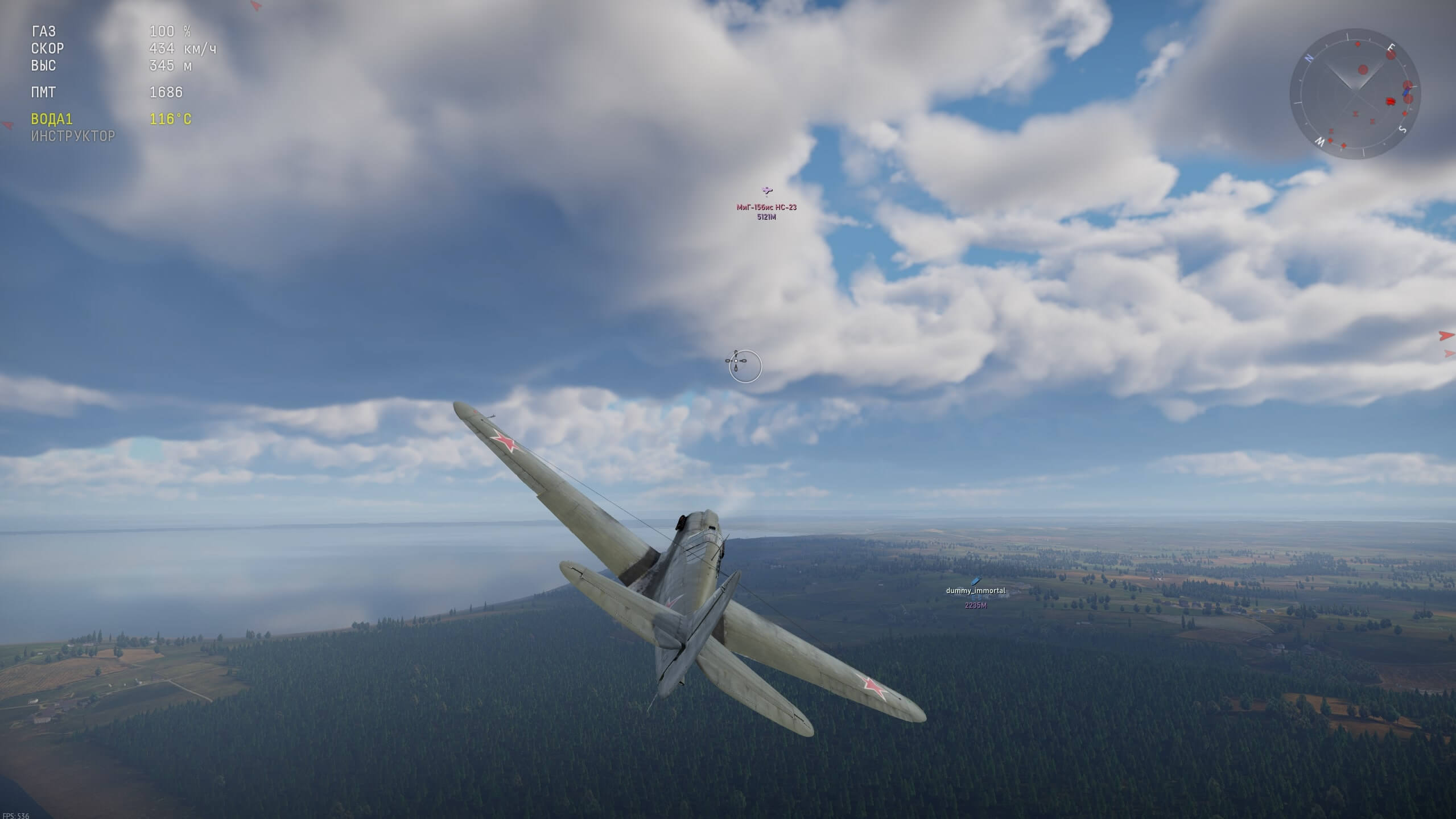
Display player name
Display vehicle name
Display distance to object
Display vehicle type icon
Show lead point for shooting
Display enemy look direction
Target visibility indication
Gun reload indicator
Display range limit
Radar and world objects
Mini-map with enemy display
Display flying missiles
Display dropped bombs
Display air bases
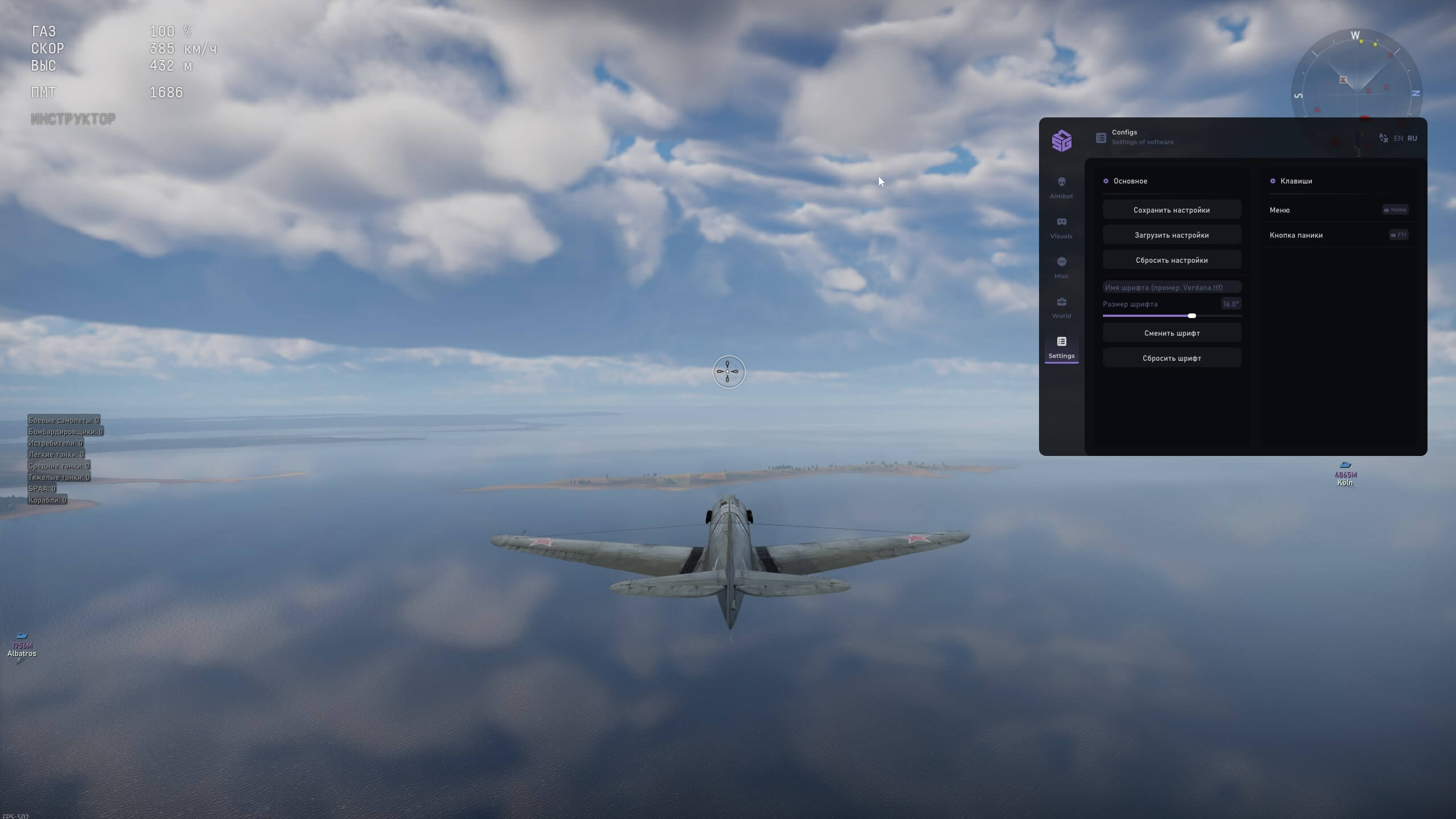
Fighters / Bombers / Attackers / Light tanks / Medium tanks / Heavy tanks / SPAA / Ships
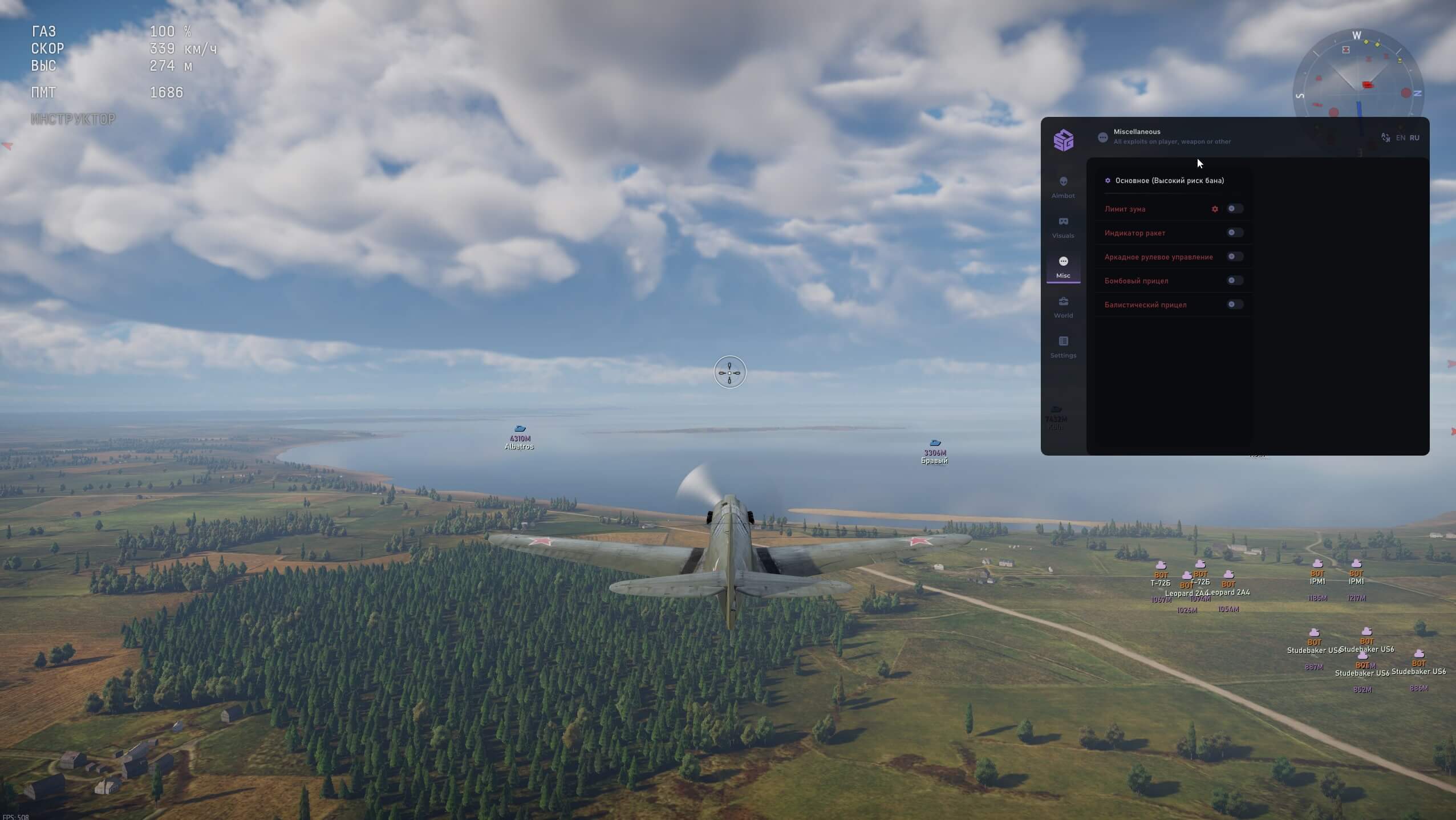
Additional features (High ban risk!)
Remove zoom restrictions
Warning about incoming missiles
Simplified vehicle control
Improved bombing crosshair
Crosshair accounting for shell ballistics
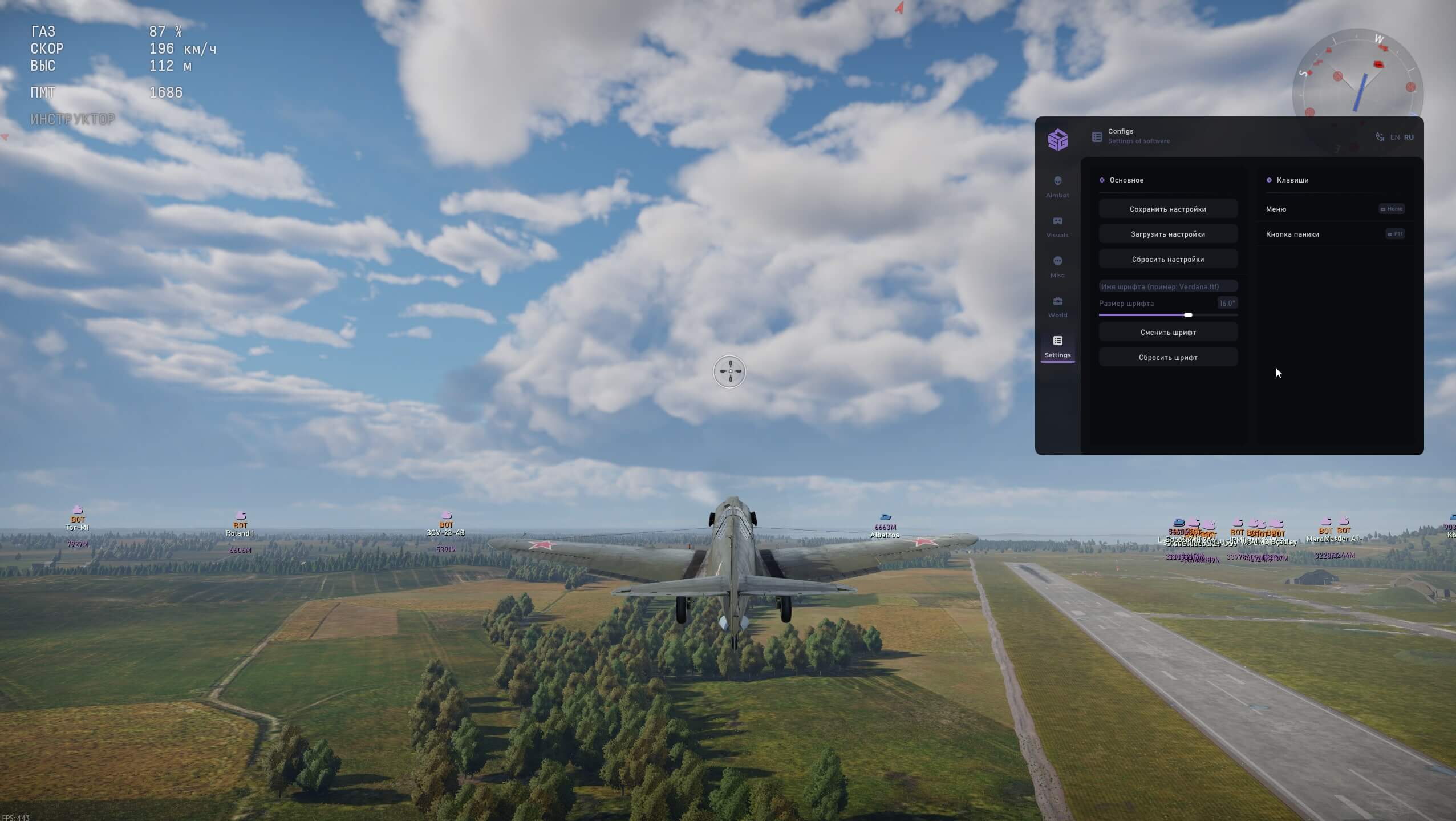
Settings and configuration
Save / Load / Reset settings
English / Russian
Configure hotkey for menu
Emergency disable all features
Choose interface font
Configure font size
What SMG can do
The aimbot only locks onto targets it can see. Visibility check drops vehicles behind a hill or a building, so the crosshair never drifts into a wall. When a target dies the program switches to the next one on its own, and bots can be excluded from the list. The capture radius is adjustable and can be drawn on screen as a circle.
ESP has separate profiles for tanks, aircraft, artillery and ships. Boxes come in normal or corner style, visible targets get their own frame, and a filled box helps a vehicle stand out against busy terrain. Next to the box you see the player name, vehicle name, distance, a type icon, a lead point, the enemy look direction and a reload bar. A max distance setting keeps far targets off the screen.
The radar shows enemies on a minimap together with flying missiles, dropped bombs and air bases. Map info counts the enemy team by class: fighters, bombers, attackers, light, medium and heavy tanks, SPAA and ships. The developer flags the MISC block (zoom limit, arcade steering, bomb and ballistic crosshair) as high ban risk, so enable it knowingly.
- Aimbot with visibility check, auto target switch and bot filter
- Adjustable aim radius with an on-screen circle
- ESP profiles for tanks, aircraft, artillery and ships
- Player name, vehicle name, distance, type icon and look direction
- Lead point and enemy reload bar
- Radar with missiles, bombs, air bases and team composition by class
- Panic button, custom font, configs and an English or Russian menu
Game modes, vehicles and anti-cheat
The SMG description promises an anti-cheat bypass without naming a specific system, and the list of supported game modes is not given. If you need it for Realistic or Simulator battles specifically, confirm that with support before you pay. The MISC block does include arcade steering, which simplifies vehicle control.
ESP and radar cover four vehicle classes: tanks, aircraft, artillery and ships. The class filters on the map tell you what to expect at the capture point before the first contact. You see how many heavy tanks the enemy has and whether SPAA and bombers are around.
System requirements: Windows 10 in builds 21H2 and 22H2, or Windows 11 from 21H2 to 23H2, an Intel or AMD processor and an Nvidia or AMD graphics card. The game must run in Windowed or Borderless windowed mode. Check your build in advance, newer Windows 11 releases are not on the list.
How to buy the SMG War Thunder cheat and launch it
Plans: 1 day for 400 ₽, 7 days for 1400 ₽ and 30 days for 3000 ₽. Payment goes through oplata.info (Digiseller), after which you get a key and a loader link. No refunds are possible, so compare your Windows build with the list above before you buy SMG.
On start the loader asks you to pick a spoofer, then you launch WarThunder in a window or a borderless window. The menu opens on a hotkey you assign in the CONFIG block. The panic button that turns everything off lives in the same block.
- Pick the 1, 7 or 30 day plan and pay on oplata.info
- Save the key and download the loader from the link
- Make sure your Windows build is supported: 10 (21H2, 22H2) or 11 (21H2 to 23H2)
- Run the loader before the game, enter the key and choose a spoofer
- Start War Thunder in Windowed or Borderless windowed mode
- Assign the menu key and the panic button, then load or create a config
Who it suits and what to compare it with
SMG suits players who have already been banned once and do not want a repeat: the spoofer and Cleaner come in the box instead of being bought separately. If you do not need a spoofer but want Easy Anti-Cheat and BattlEye named outright and all game modes declared, look at MASON EAC. It costs 399 ₽ per day with a similar AIM plus ESP set and Streamproof.
Streamers who care about clean 3D boxes more than about a radar can compare WarChill at 5 $ per day. It also has Streamproof and visibility check, but no spoofer and no radar.
If you shoot on your own and only want to see the enemy, an ESP-only War Thunder hack is cheaper. MIRA LITE and MH LITE cost 250 ₽ per day, and Arcane LITE is 4 $ with a multi-language menu.
Safety, spoofer and Streamproof
There is a ban risk with any cheat for this game, and SMG does not promise full protection. Three things lower the risk: the spoofer you choose at launch, the Cleaner system, and Streamproof for OBS and Discord that keeps the overlay out of streams and recordings. The developer separately warns that the MISC block raises the ban risk.
The panic button turns everything off with one press if a match goes wrong. Visibility check in the aimbot and the ESP distance cap make your play look ordinary from the outside. You do not shoot through hills or react to vehicles you could not see.
Configuration
Configs are saved, loaded and reset from the menu, so you can keep separate setups for tanks and aircraft. The interface language switches between English and Russian, and the font and its size are chosen separately for readability at any resolution.
ESP can be trimmed down: disable the fill, keep only box corners, cap the max distance and drop icons you do not use. The screen stays clean while the information you need stays in place.
FAQ
What is SMG for War Thunder
It is a private War Thunder cheat with an aimbot, ESP, radar, a built-in spoofer, the Cleaner system and Streamproof for OBS and Discord. The menu is available in English and Russian. It is sold by subscription for 1, 7 or 30 days.
How much does SMG cost
One day costs 400 ₽, seven days 1400 ₽ and thirty days 3000 ₽. Payment is made on oplata.info, and the key with a loader link arrives after the payment. There are no refunds.
Does SMG work in RB and SB
The product description does not list supported game modes. If Realistic or Simulator battles matter to you, ask support in the Telegram bot @procheatsupport_bot before paying.
Can I download SMG for free
No, SMG is subscription only. Free private cheats do not exist: public builds get detected quickly, and keys and updates go only to paying users. Ask support about a free test key.
Does SMG support EAC and BattlEye
The description claims an anti-cheat bypass but does not name the systems. If you need confirmed support for Easy Anti-Cheat or BattlEye, ask support or consider MASON EAC, where both are listed directly.
SMG doesn't launch, what to do
Compare your Windows build with the list: 10 (21H2, 22H2) or 11 (21H2 to 23H2). The game must be in Windowed or Borderless windowed mode, and the loader starts before the game. If everything matches, write to @procheatsupport_bot and say at which step the error appears.
Please note: certain software features may be temporarily disabled for improvements or updates. New features may also be added.